Global Trade / In development

Claims, Returns & Insurance

Track cargo damage, quantity discrepancies, insurance/supplier/carrier claims and authorized return or re-export handoffs.
Authorized Claims StaffWarehouseAccounts

What it is designed to manage

  • Damaged Cargo Claims
  • Shortage / Excess Claims
  • Insurance Claim Tracking
  • Supplier / Carrier Claims
  • Return Shipment (RMA)
  • Re-export Management
  • Claim Settlement History
  • Document Uploads
  • Integration with Global Trade
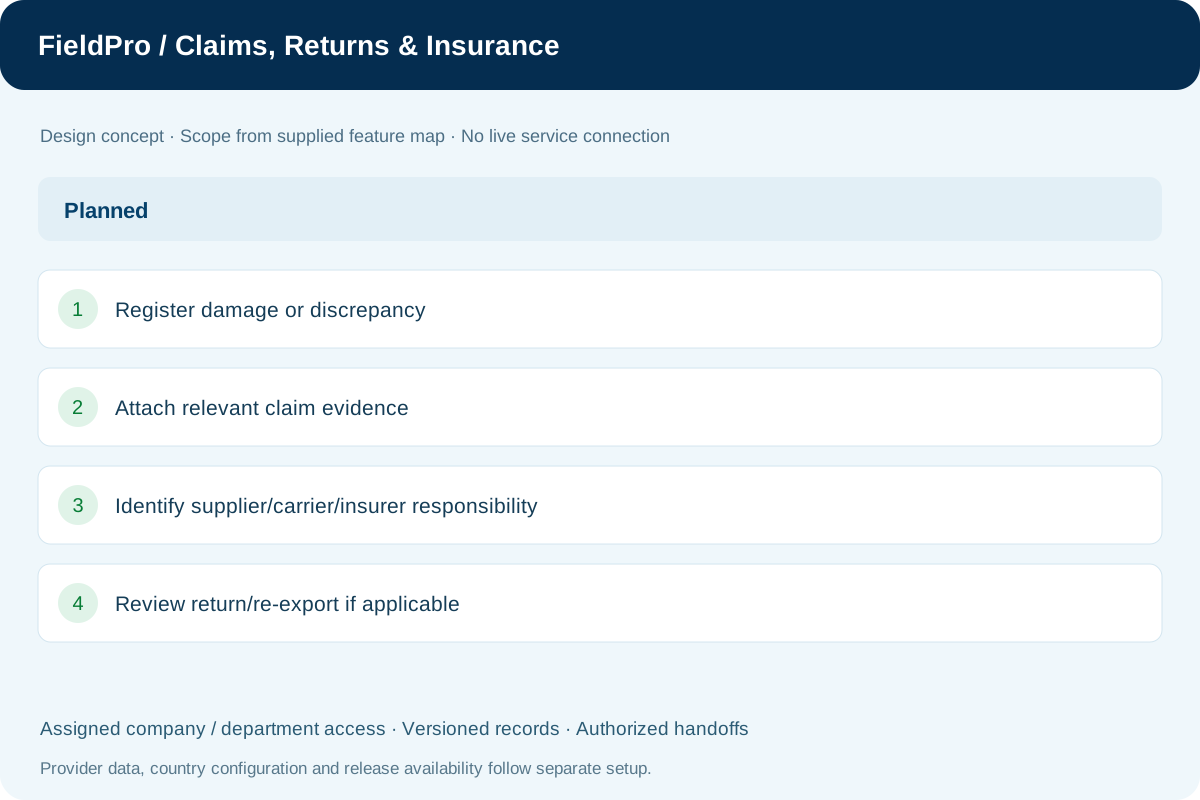
FieldPro Claims, Returns & Insurance design concept
Design concept with sample records; not a live ERP screenshot.
Feature-map status: Planned. This status is reported in the supplied map; it is not a claim of independent live-release verification.
Feature-by-feature availability

What is in source, planned or awaiting integration.

  • Damaged Cargo ClaimsReported Planned

    Record damage, supporting evidence and the responsible claim party.

  • Shortage / Excess ClaimsReported Planned

    Track received-versus-declared quantity discrepancies.

  • Insurance Claim TrackingReported Planned

    Link insurer references, documents and reported claim status.

  • Supplier / Carrier ClaimsReported Planned

    Route a claim to the relevant supplier or carrier.

  • Return Shipment (RMA)Reported Planned

    Manage the authorization and movement of a return shipment.

  • Re-export ManagementReported Planned

    Link an eligible return movement to the relevant re-export workflow.

  • Claim Settlement HistoryReported Planned

    Retain decisions and verified settlement references.

  • Document UploadsReported Planned

    Allow only the evidence and formats required by the claim workflow.

  • Integration with Global TradeReported Planned

    Connect claims to their original goods, shipment and trade records.

Permissions & security requirements.

  • Keep records inside the authorized company, branch, transaction and department scope.
  • Assign create/edit/approve/export rights separately and audit sensitive changes.
  • Enable document types and export formats only for the specific workflow where needed.

Related role applications.

Module access follows assigned rights. Application package releases and live connections are separate.

A practical view of the process

How the work moves.

01

Register damage or discrepancy

02

Attach relevant claim evidence

03

Identify supplier/carrier/insurer responsibility

04

Review return/re-export if applicable

05

Record verified settlement and handoff

Information coming in

  • Shipment/goods record
  • Claim evidence
  • Return authorization

Records & handoffs coming out

  • Claim timeline
  • Return/re-export linkage
  • Settlement and finance references
Connected departments

Where this module connects.

In development. Release availability requires the relevant implementation, integration and validation work. The visual above is illustrative.

Start with your business

Map your teams.
Connect your workflow.

Explore the departments and handoffs that match your operation, then prepare a product enquiry around your company structure.